Dynamic terminology
Inkome speaks your business’s language. The labels you see — on buttons, menus, table headers, and empty states — change to match the business type of the space you’re in. So a consultant sees Deals and a store owner sees Products, in the exact same screen.
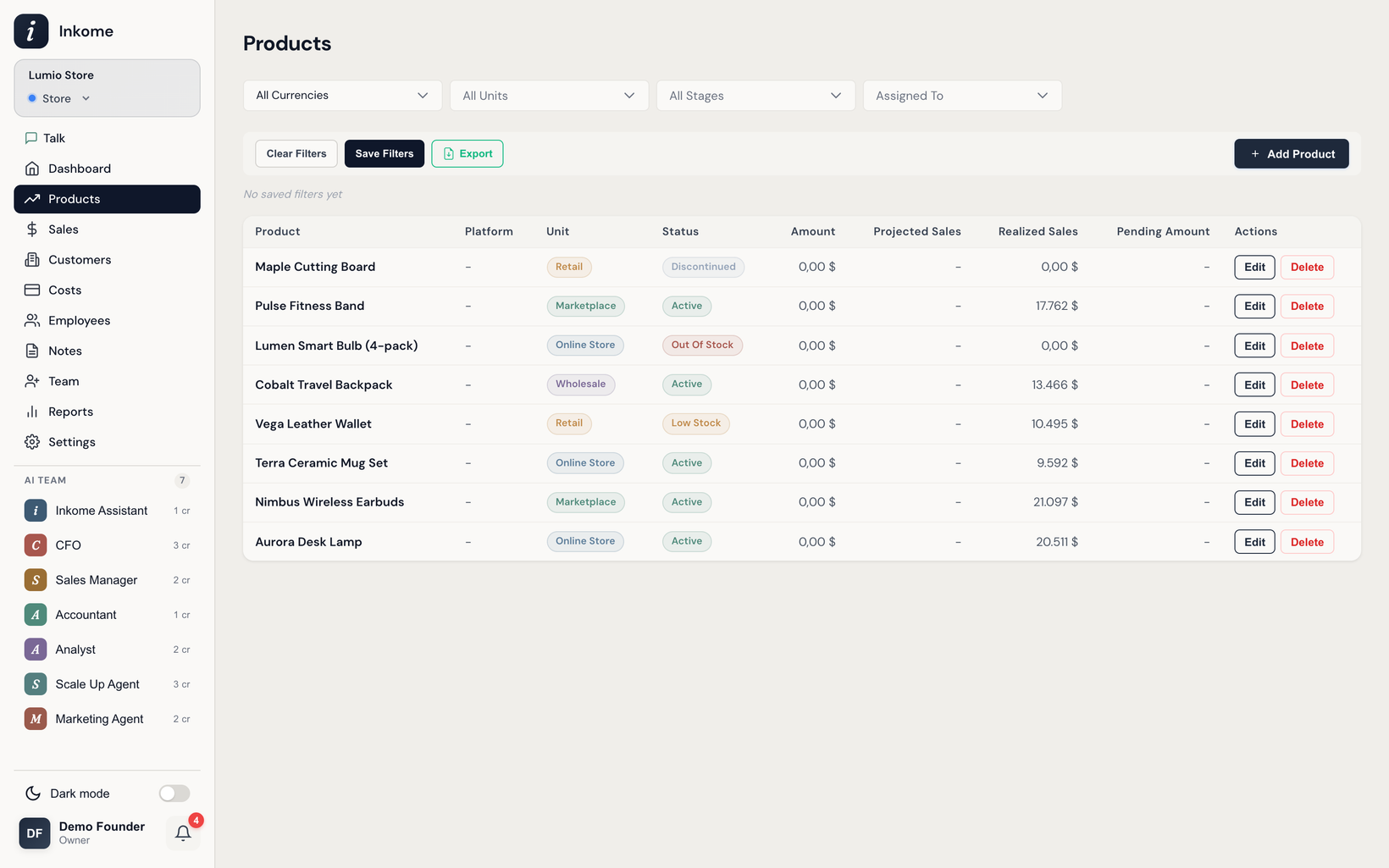
How labels change as you switch spaces
The interface reads each space’s business type and rewrites its labels on the spot. When you switch to a different space, the words update right away — the navigation, page titles, buttons, and form fields all re-label themselves for the new stream. You don’t configure anything; it follows the space.
The same screen reads very differently depending on the type:
| Where you see it | Services | E-commerce | Digital | SaaS |
|---|---|---|---|---|
| Primary nav item | Deals | Products | Products | Plans |
| Secondary nav item | Collections | Sales | Sales | Revenue |
| Add button | Add Deal | Add Product | Add Product | Add Plan |
| Record-income button | Add Collection | Record Sales | Record Sales | Record Invoice |
| Empty state | No deals yet | No products yet | No products yet | No plans yet |
| Search placeholder | Search deals… | Search products… | Search products… | Search plans… |
The core nouns
The two records you work with most are the thing you sell and the money it brings in. Their names are the clearest tell of which space you’re in:
| Concept | Services | E-commerce | Digital | SaaS |
|---|---|---|---|---|
| The thing you track | Deal | Product | Product | Plan |
| Money coming in | Collection | Sale | Sale | Invoice |
| The customer | Client | Customer | Customer | Account |
The collection plan — your schedule of expected income — also re-labels itself: it’s a Collection Plan in services, a Sales Plan in e-commerce and digital, and a Revenue Plan in SaaS.
Some labels disappear entirely
Dynamic terminology isn’t only about renaming — it also hides what doesn’t apply. When a label has no meaning for a type, the field or column is hidden rather than shown empty:
- Close Date appears only in services. Products, digital items, and SaaS plans don’t track one.
- Client is hidden for digital products, where an individual customer usually isn’t tracked.
This keeps each form focused on the fields that genuinely matter for that stream.
Customizing labels yourself
The business type gives you a sensible starting vocabulary, but you can take it further. If “Deal” isn’t quite your word — maybe you call them “Engagements” or “Projects” — you can rename labels for your space in settings. See Custom labels & terminology for how to override the defaults.
Prev: Business types: services, e-commerce, digital, SaaS Next: Industries & auto-generated defaults Up: User guide index