Deals & pipeline overview
A deal is the thing you’re trying to make money from — a consulting engagement, a product line, a subscription plan. Inkome’s pipeline is where every one of those lives, and it’s the first corner of the triangle: Revenue. This page explains what a deal is, what the pipeline shows you, and how it connects to the cash and costs that follow.
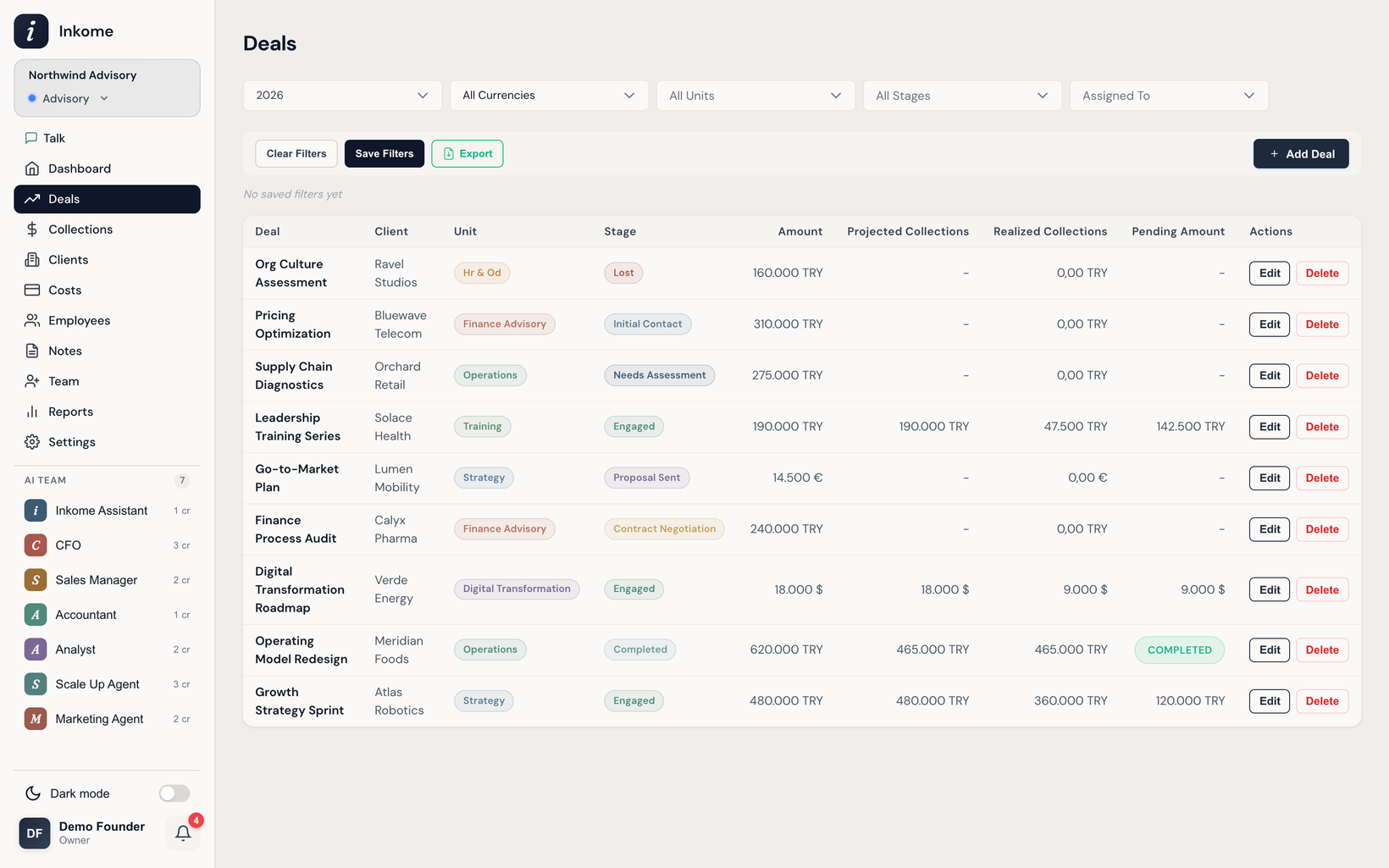
What “deal” means in your space
The record you track is called a Deal in services spaces — but the name changes with your business type. The underlying record is the same; only the label moves. See Dynamic terminology for how this works across the app.
| Business type | What a “deal” is called | The pipeline is called |
|---|---|---|
| Services | Deal | Pipeline |
| E-commerce | Product | Catalog |
| Digital | Product | Catalog |
| SaaS | Plan | Plans |
The rest of this section talks in services terms — Deal, Stage, Pipeline — because that’s the clearest way to explain the mechanics. If your space is e-commerce, digital, or SaaS, read Deal as Product or Plan.
The pieces of a deal
Every deal carries a small set of fields. Which ones appear depends on the business type, but the core is consistent:
| Field | What it’s for |
|---|---|
| Name | The label for the deal. The only required field. |
| Stage | Where the deal sits in its lifecycle. See Stages & categories. |
| Amount + Currency | The deal’s value, in any of TRY, USD, or EUR. |
| Unit | The team or department the deal belongs to. See Units. |
| Assigned To | The member responsible for it. |
| Client Name / Close Date / Platform | Type-dependent extras. See Creating & editing a deal. |
A deal can also carry a collection plan — a schedule of when you expect the money to arrive — built right inside the deal form.
Why the pipeline matters beyond “won”
Most tools stop the moment a deal is marked won. Inkome doesn’t. A won deal still has money that hasn’t landed yet, and costs that may be allocated against it. The pipeline is the starting point, but the value follows through into Collections (the cash that actually arrives) and cost allocations (what the deal costs you to deliver). That’s the triangle — and it’s why a closed deal isn’t the end of the story.
What you can do here
- Add, edit, and delete deals (subject to your role — only owners and admins create records; members work on deals assigned to them).
- Move a deal between stages as it progresses.
- See related collections and plans, and get a warning before deleting a deal that has them attached.
- Filter and group the list. See Filters & saved filter groups.
- See the same deals rolled up per client — what’s overdue and who’s gone quiet. See Clients.
Note on plan limits. On the Free plan, a space is limited to 50 deals. Paid plans remove the cap. See Billing & plans.
Prev: Industries & auto-generated defaults Next: Creating & editing a deal Up: User guide index