Working across multiple organizations
One Inkome account can belong to several organizations. Maybe you run your own company and also help out a client’s, or you’re an accountant invited into a handful of businesses. Each organization is its own world — its own members, spaces, data, and billing — and you switch between them without logging out.
Organization vs space
It’s worth keeping the two levels straight:
| Level | What it is | What it holds |
|---|---|---|
| Organization | A company or workspace you belong to | Members, roles, settings, billing, and one or more spaces |
| Space | A revenue stream inside an organization | Deals, collections, costs, and the dashboard built from them |
You can belong to many organizations; within each, you have one role. Your role can differ per organization — owner in your own, member in a client’s.
How you end up in several organizations
There are two ways:
- You create one. When you sign up you get your first organization, and you can create more. You’re the owner of any you create.
- Someone invites you. If you accept an invitation using an email that already has an Inkome account, that organization is simply added to your list — no second account, no new password.
Switching organizations
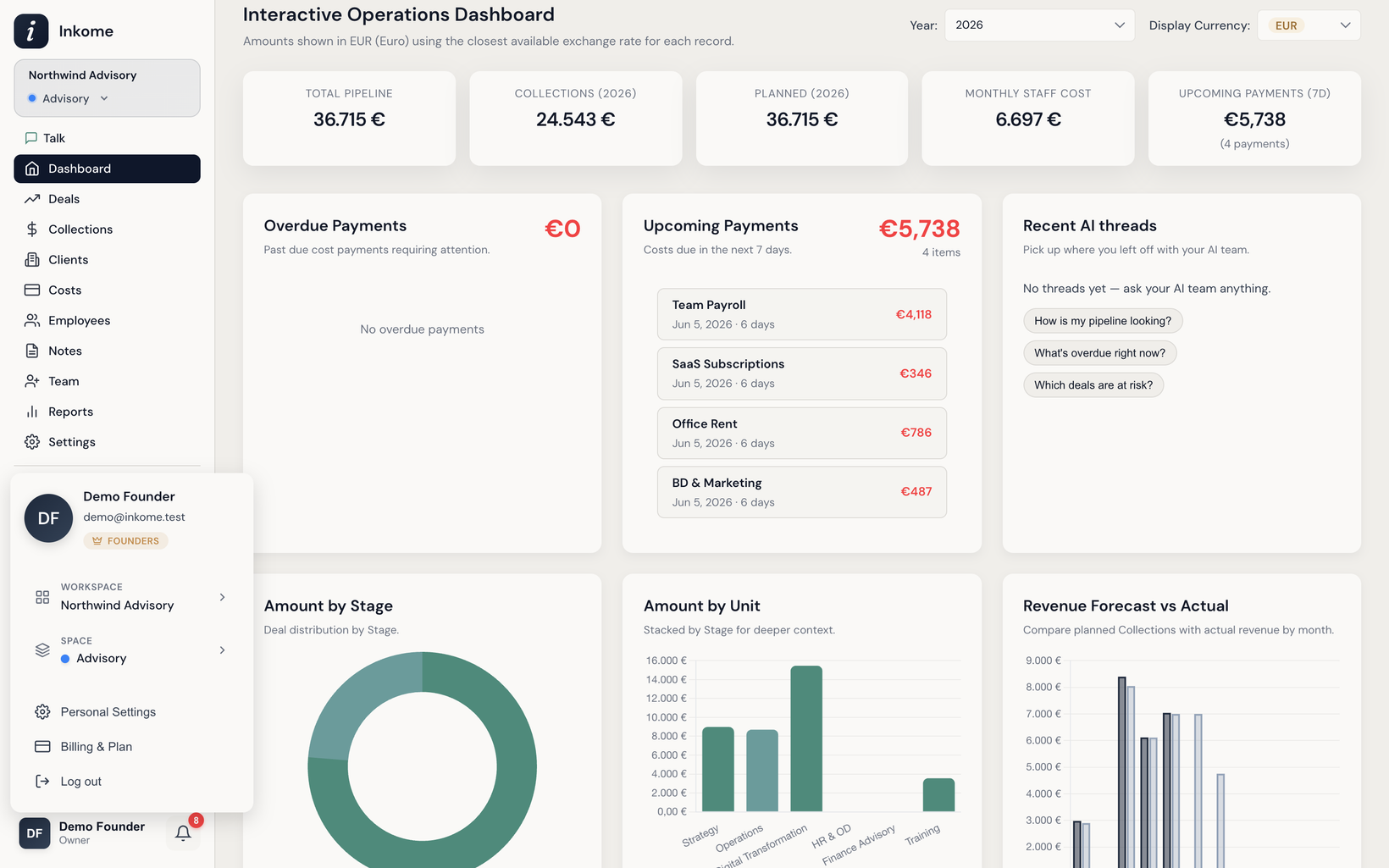
On desktop, Inkome’s navigation runs down a vertical sidebar on the left. Your current organization and space sit at the top of it, just under the logo. To switch organizations, open your profile menu at the bottom of the sidebar — it lists every organization you belong to, each showing its name and how many spaces it has, with a checkmark on the one you’re in. (On narrow screens the sidebar collapses into a top bar with a menu button, but the same controls live inside it.)
Pick a different organization and Inkome reloads into it: the spaces, data, dashboard, team, and settings all re-point at the organization you chose. The labels in the app also follow whatever space you land in, because terminology comes from the space’s business type — see Dynamic terminology.
Switching spaces within an organization
Inside an organization, the space switcher — the pill at the top of the sidebar showing your current space — lets you jump between its spaces, or pick All Spaces for a combined view across them. Switching a space reloads the deals, collections, costs, and dashboard for that stream. (Some settings — like stages or cost types — are space-specific and can’t be edited in All Spaces mode.)
All Spaces is a working view, not just a read-only roll-up. Every list there carries a Spaces filter so you can narrow the combined view to the streams you’re comparing, and you can save those combinations: a filter group saved in All Spaces belongs to the whole organization and stays out of the individual spaces, which keep their own. See Filters & saved filter groups.
What stays separate
Everything that matters stays walled off per organization:
- Data — deals, collections, costs, employees. Nothing leaks between organizations.
- Members & roles — each organization has its own team, and your role is set per organization.
- Settings & billing — currency, labels, integrations, and the plan are all configured per organization.
So being an owner in one organization gives you no extra power in another — there, you’re whatever role that organization gave you.
Prev: Inviting your team Next: Settings overview Up: User guide index