Recipe — Forecast cash flow with the CFO agent
Knowing a deal is worth €60,000 isn’t the same as knowing whether you’ll make payroll in March. The CFO agent turns your pipeline, collections, and costs into a forward look at cash — runway, scenarios, and month-by-month projections. This recipe shows what to ask and how to read what comes back.
Before you start
- The CFO is a specialist agent that costs 3 credits per message and unlocks on the Maker plan or above. Check your plan in Billing & plans if you’re on Free.
- The forecast is only as good as your data. The more accurate your collection plans and costs are, the sharper the projection.
Step 1 — Reach the CFO
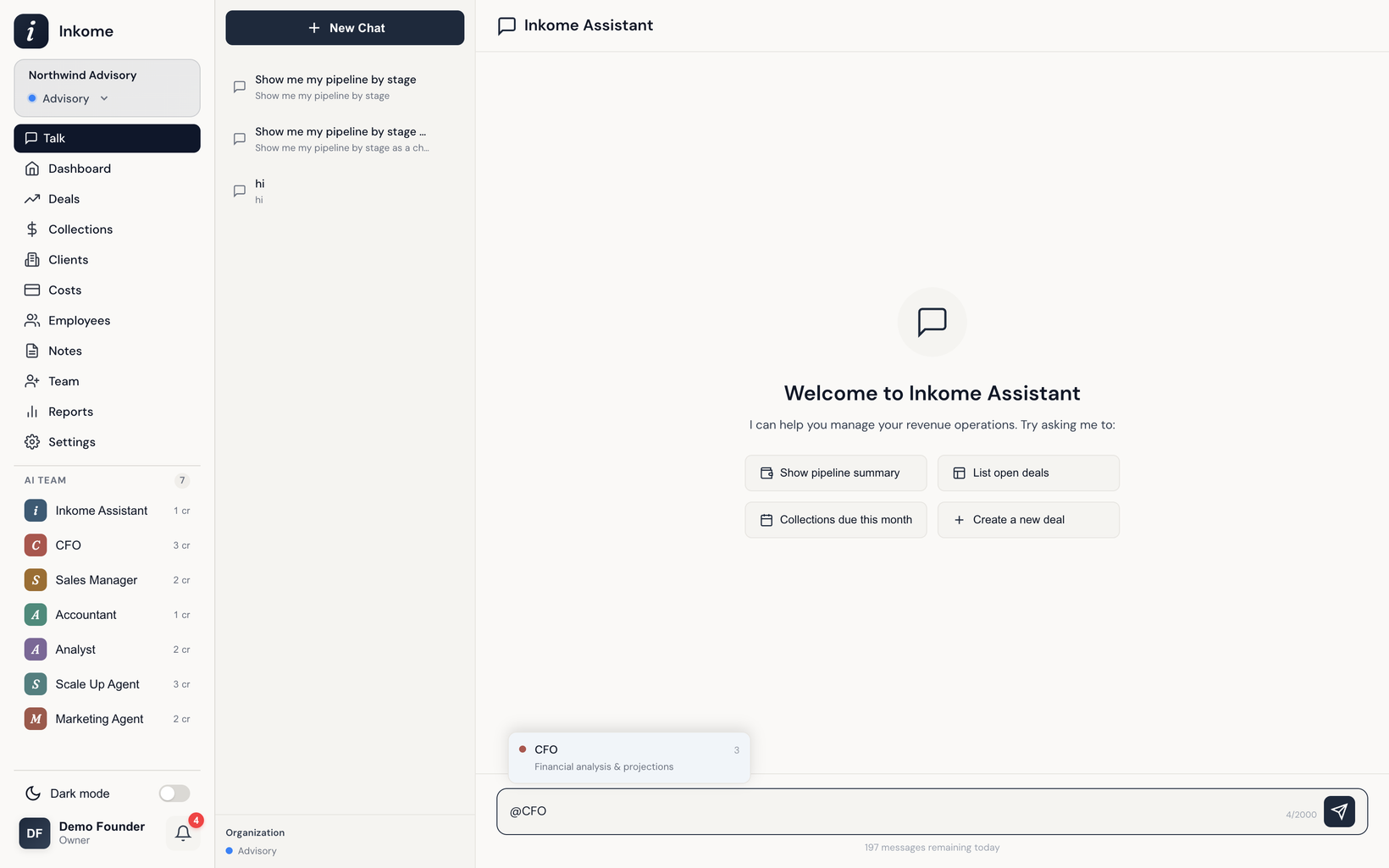
Open the chat and start a message with the @CFO mention. The CFO also answers to @Finance and @Financial — as you type @, an autocomplete list appears so you can pick it without typing the exact name. See Mentions, routing & delegation.
You don’t strictly have to mention it: ask a cash-flow or runway question in plain language and Inkome routes it to the CFO for you. Mentioning is just the direct way to be sure.
Step 2 — Ask the right question
The CFO is built for projections, scenarios, runway, and multi-step calculations. Good prompts are specific about the horizon and the variable you care about:
@CFO what's our cash runway at the current burn rate?@CFO project cash flow for the next 6 months@CFO if we close the deals in Negotiation, how does next quarter look?@CFO what happens to runway if we hire two people in Q3?
If a request needs more detail, the agent asks for the missing piece one question at a time (slot filling) rather than guessing. Anything that would change data is confirmed with you first.
Step 3 — Read the projection
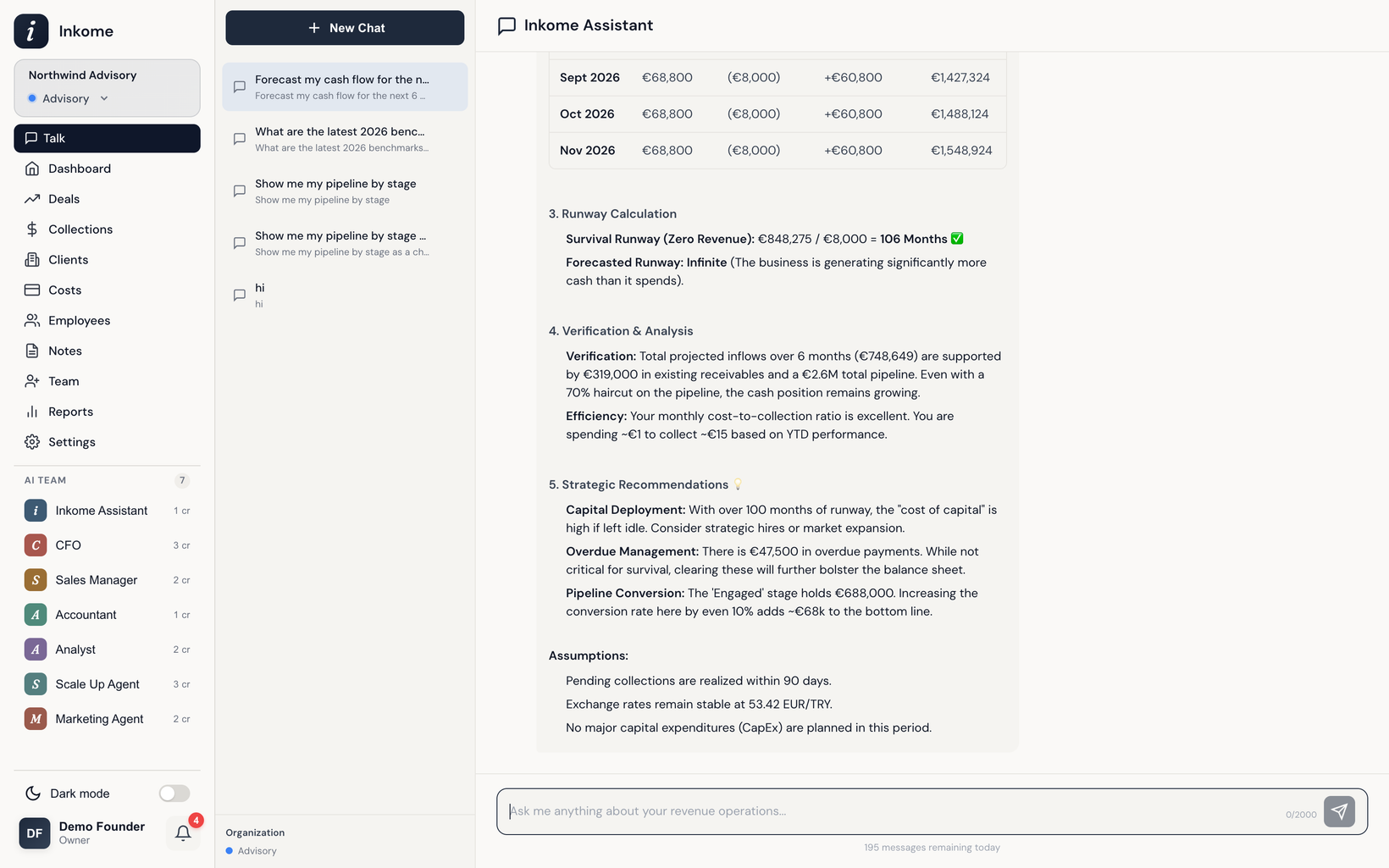
The CFO can draw a chart alongside its answer. When you get a cash-flow projection back, read it in this order:
| Look at | What it tells you |
|---|---|
| The runway figure | How long the cash lasts at the current trajectory — the headline number. |
| The month-by-month line | Where cash dips and recovers, so you can spot the tight months early. |
| Inflows vs. outflows | Whether collections are keeping pace with costs, or the gap is widening. |
| Any assumptions stated | The CFO tells you what it assumed (e.g. which deals it counted as closing). Sanity-check these. |
The projection blends all three corners of the triangle: open pipeline, expected collections, and scheduled costs.
Step 4 — Test a scenario, then act
- Ask a follow-up that changes one variable — “what if that big deal slips a month?” — to see how sensitive the runway is.
- Compare the CFO’s forward view against the actuals on the dashboard's Revenue Forecast vs Actual widget to check the forecast is grounded.
- For a written narrative you can share, ask the Analyst for a report built on the same numbers.
Remember the CFO augments your judgment — it surfaces the math and the blind spots; the call is still yours.
Prev: Recipe — Monthly collection review Next: Recipe — Set up an e-commerce space Up: User guide index