Units
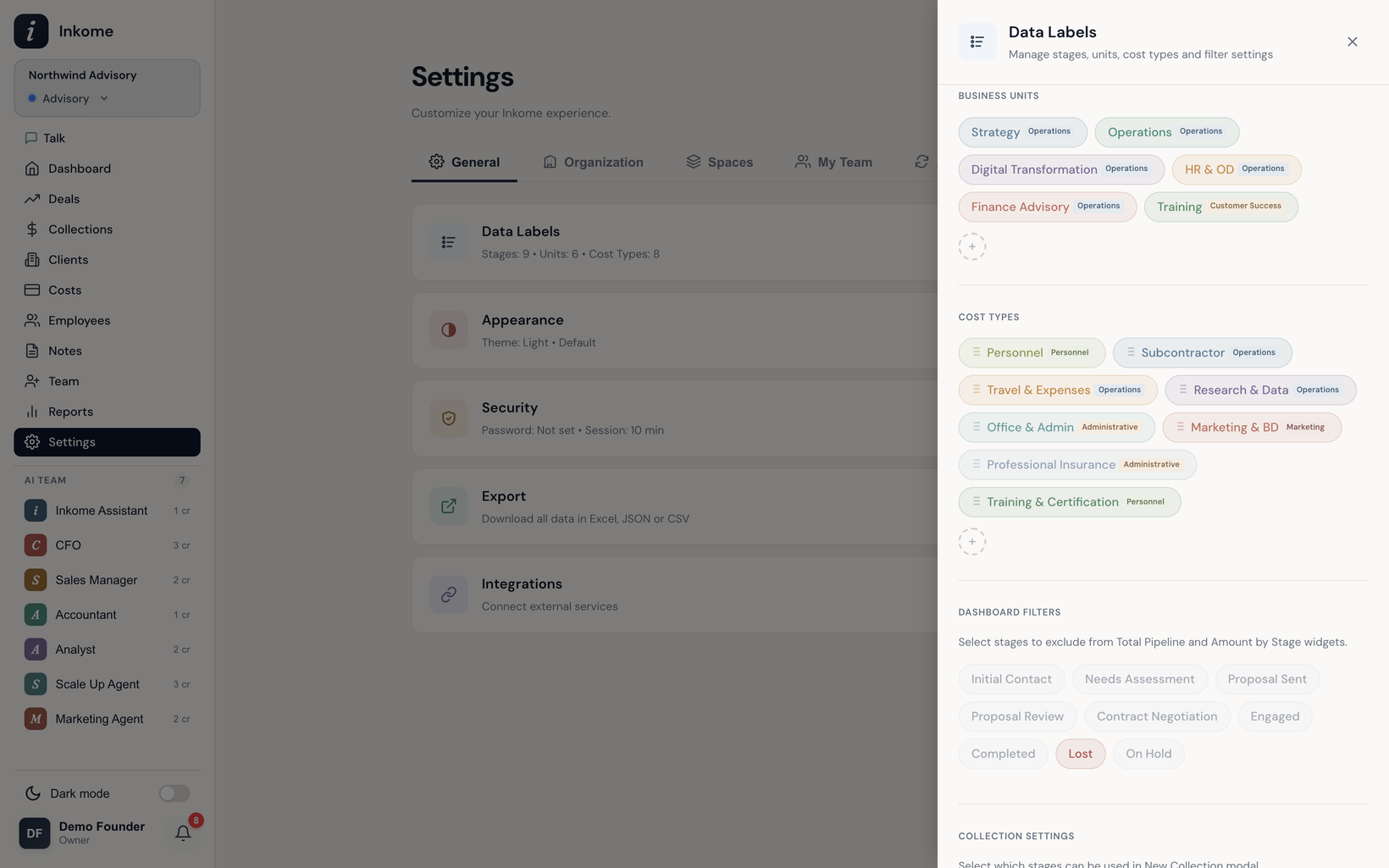
Units are the teams, departments, or revenue lines you want to slice your business by. Tag a deal with a unit and you can suddenly answer “how much is Strategy bringing in versus Operations?” — across the pipeline, collections, and the dashboard. This page covers what units are and how to manage them.
What a unit is
A unit is a label you attach to a deal to group it. It’s deliberately flexible — depending on your business, a unit might be:
- A department (Strategy, Creative, Media Buying).
- A channel (YouTube, TikTok, Direct Client).
- A product line or service line.
Each space has its own units, seeded from your industry when the space is created. Like stages, you can rename, recolor, reorder, add, and delete them. Each unit has a name, a color, an order, and a category.
Unit categories
Every unit belongs to one of five categories, used to group units consistently in reports regardless of what you’ve named them:
| Category | Means |
|---|---|
| Sales | Revenue-generating teams or channels |
| Operations | Delivery and operational teams |
| Customer Success | Retention and support |
| Product | Product-building teams |
| Other | Anything that doesn’t fit the above |
New units default to the Other category if you don’t pick one.
How units show up
Once a deal carries a unit, it flows into the analysis automatically:
- The deal form has a Unit dropdown (optional).
- The dashboard includes an Amount by Unit widget that breaks pipeline value down by unit. See The dashboard.
- You can filter and group deals and collections by unit. See Filters & saved filter groups.
Units are optional — a deal without one simply isn’t counted in unit breakdowns. But once you start using them, the by-unit views become one of the fastest ways to see where your business is concentrated.
Prev: Stages & categories Next: Notes & follow-ups Up: User guide index