Spaces — isolated revenue streams
Most businesses don’t run on one revenue stream. You might have a consulting arm and an online store, or a core product and a side line of courses. A space keeps each of those worlds separate — its own deals, collections, and costs — so the numbers never bleed into each other.
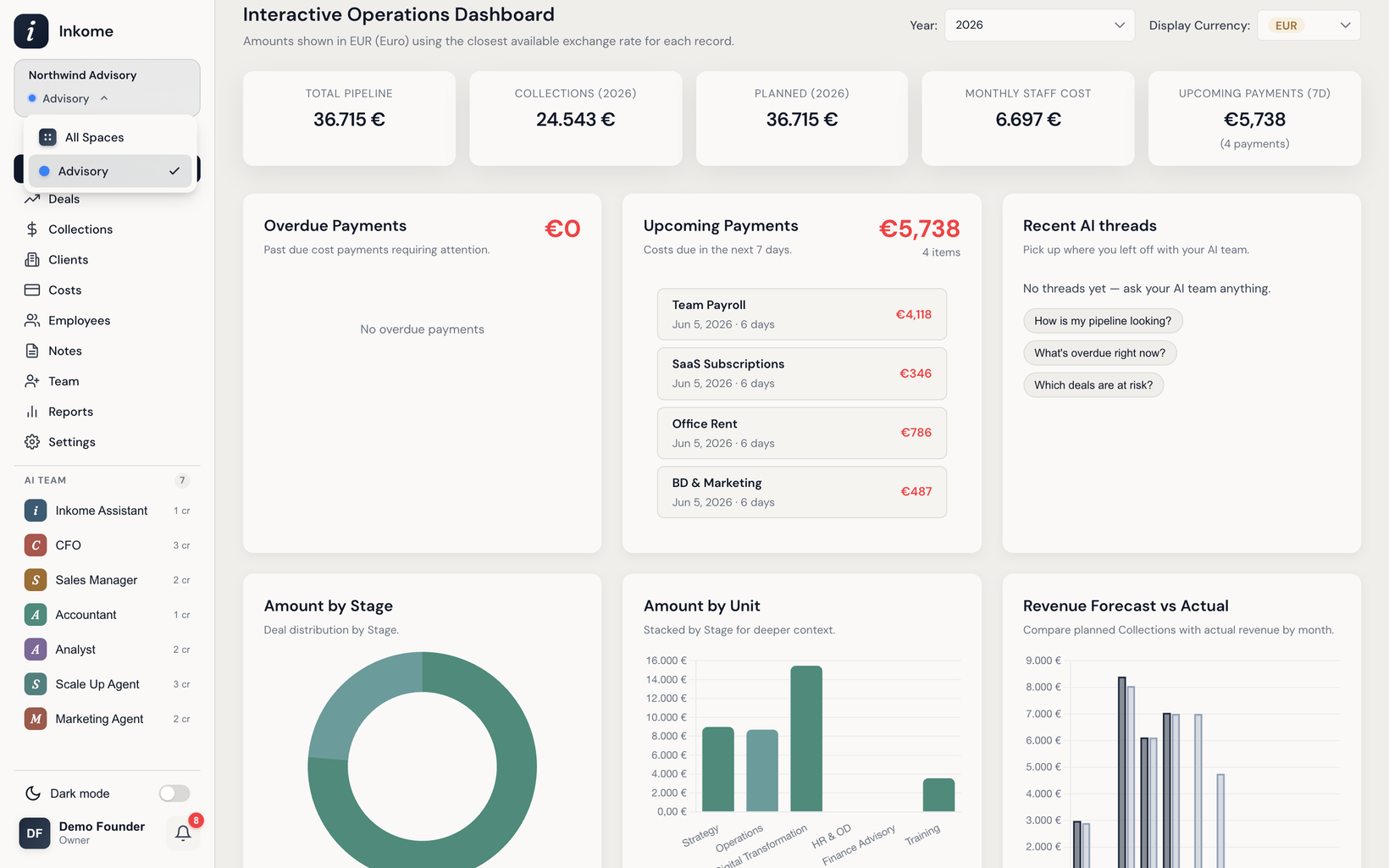
What a space is
A space is one isolated revenue stream inside your organization. Everything you track day to day lives inside a space:
- Deals and your pipeline
- Collections (money actually coming in)
- Costs and cost allocations
- Stages, units, and cost types
- The dashboard and reports built from all of the above
A space also carries a business type (services, e-commerce, digital, or SaaS), which reshapes the labels and forms across the whole app to match how that stream actually works.
Why spaces exist
The point of a space is data isolation. Each space has its own data, so a report or a dashboard only ever shows the stream you’re looking at. Your consulting pipeline doesn’t get mixed into your store’s product catalog. Your store’s sales don’t inflate your consulting revenue. You see one clean picture at a time.
This matters because Inkome connects Revenue, Cash, and Costs — and that picture is only useful when it’s about one comparable thing. A “Total Pipeline” number that blends consulting deals with physical products wouldn’t mean anything. Spaces keep each number honest.
How spaces relate to organizations
Your organization is the company or workspace; spaces are the revenue streams inside it.
| Level | What it holds | Example |
|---|---|---|
| Organization | Members, roles, settings, billing | “Acme Studio” |
| Space | One revenue stream + its business type | “Consulting”, “Online Store” |
| Business data | Deals, collections, costs, stages, units | The day-to-day records |
One organization can have several spaces. Your team members belong to the organization, and your role (owner, admin, or member) is set there. Settings like currency and labels are configured per the relevant level — see Settings.
Switching between spaces
You move between spaces with the space switcher in the navigation. When you switch, the whole app re-points at that space: the deals list, collections, costs, dashboard, and reports all reload for the space you picked. The labels in the interface also update to match the new space’s business type — so switching from a services space to an e-commerce space turns Deals into Products and Collections into Sales. See Dynamic terminology for how that works.
When to create a new space vs. reuse one
Create a new space when a revenue stream is genuinely different from what you already track:
- It’s a different business type — e.g. you run consulting (services) but want to start selling courses (digital).
- You want its pipeline, collections, and costs reported separately.
- It needs its own stages, units, or cost types that wouldn’t make sense mixed in.
Reuse an existing space when the work is just more of the same stream — a new client, a new project, or a new product within a catalog you already track. Those are new deals or items inside the space, not a reason to create another one.
A good rule of thumb: if you’d want a separate dashboard for it, it’s probably a separate space. You set the business type when you create a space, so it’s worth deciding the stream up front — see Your first space.
Next: Business types: services, e-commerce, digital, SaaS Up: User guide index