Recipe — Monthly collection review
Once a month it pays to sit down and ask one question: did the money we expected actually come in? This recipe walks that loop end to end — check the dashboard, compare planned against actual, hunt down what’s overdue, and let the Accountant tell you exactly who owes what. It ties together collections, the dashboard, and the AI assistant.
Before you start
- You’re in the right space — every figure follows the space you’re in, so switch first if you run more than one.
- You’ve recorded the month’s collections as they arrived (or you’re about to, using this review to catch the gaps).
Step 1 — Open the dashboard and set the currency
- Open the dashboard — it’s the page you land on.
- In the dashboard controls, set Currency to the one you think in (TRY, USD, or EUR). Mixed-currency data is converted to it so the totals compare cleanly. Your choice is remembered.
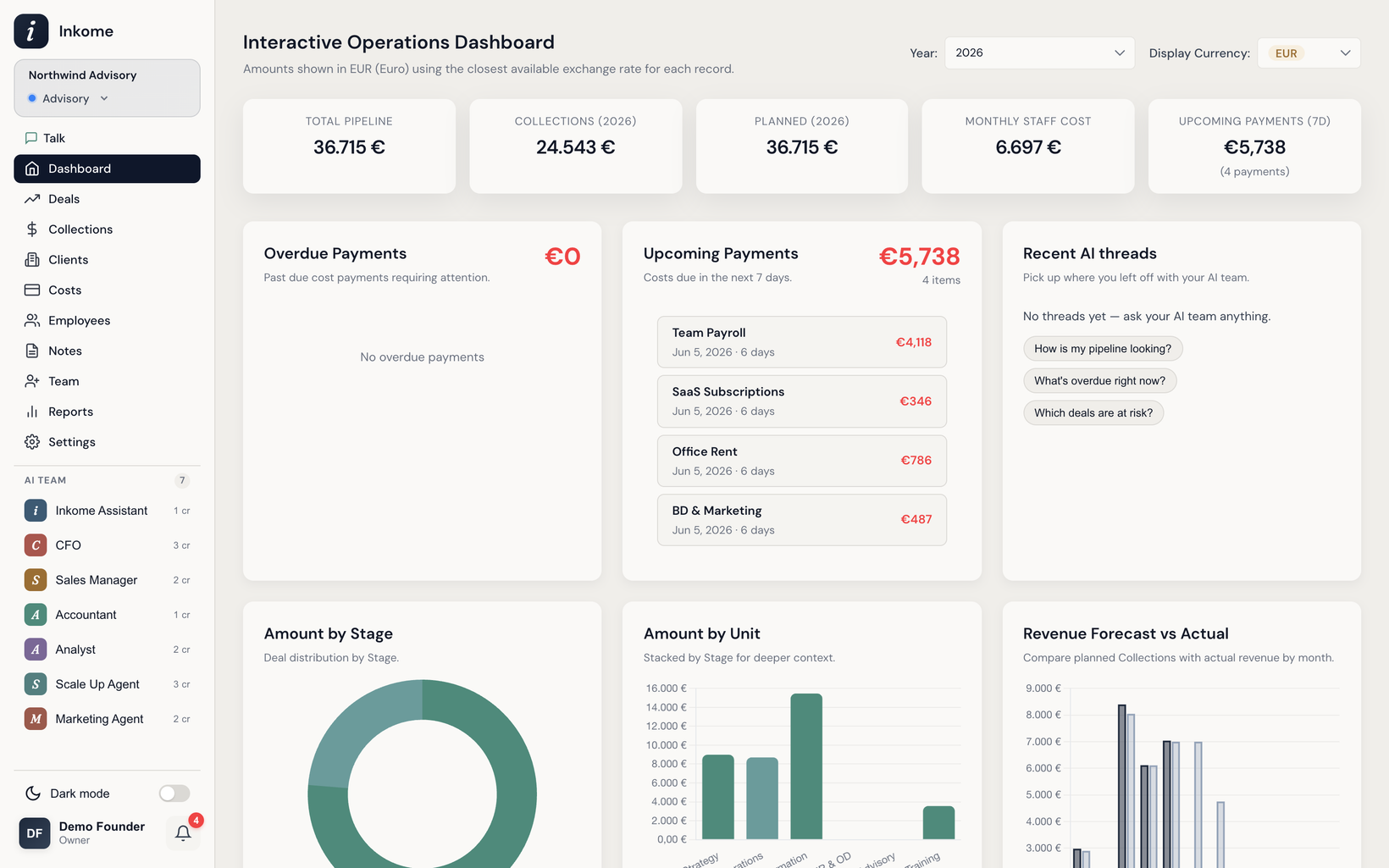
- Read the summary cards: Collections (This Year) is what’s actually come in; Planned (This Year) is what your collection plans said you’d bring in.
Step 2 — Compare planned vs. actual collections
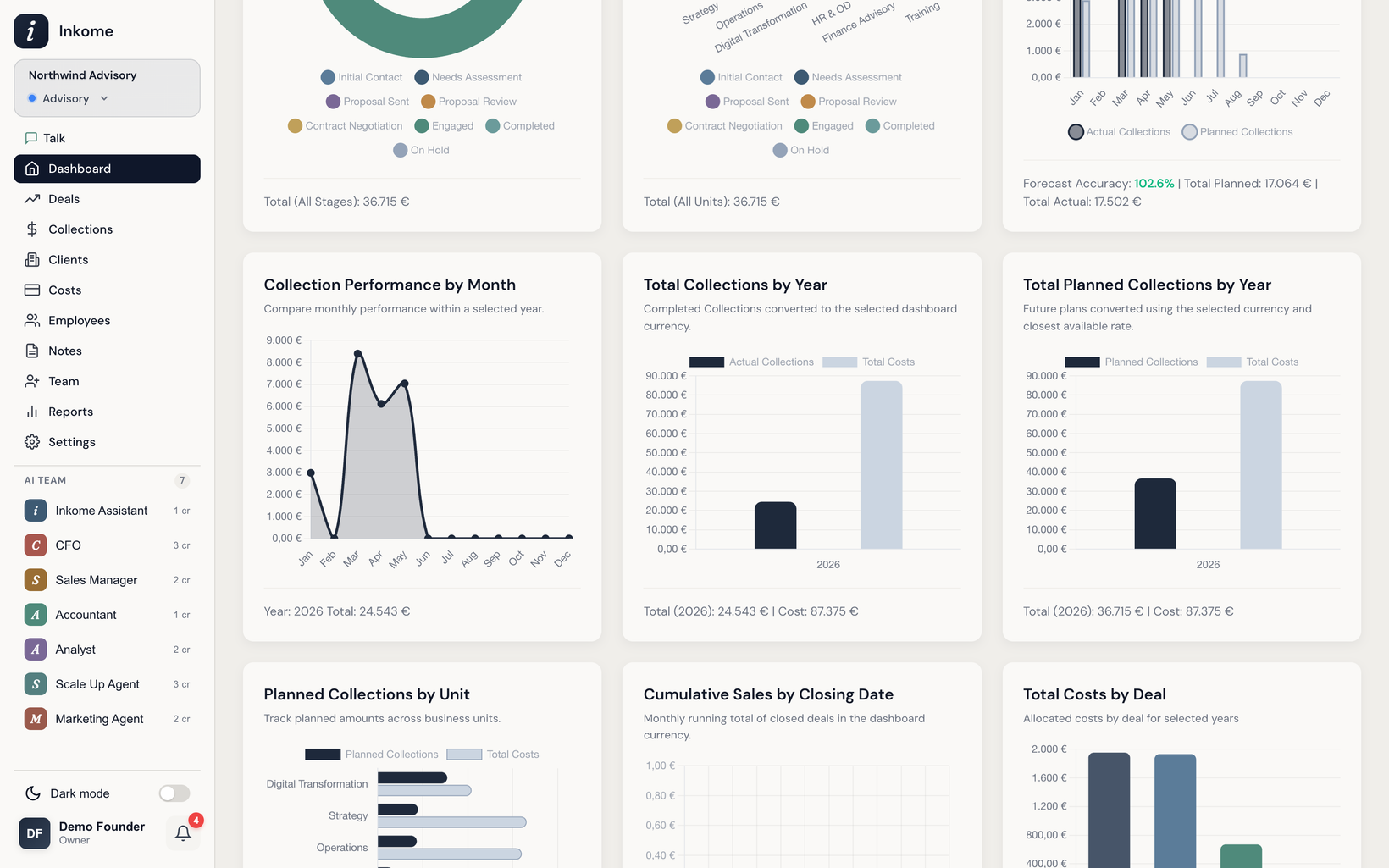
- Scroll to the Revenue Forecast vs Actual widget. It charts planned collections against actual revenue by month, with a forecast-accuracy figure.
- Look for the months where actual sits well below planned — those are the gaps to explain.
- Cross-check with Total Collections by Year and Total Planned Collections by Year for the longer trend.
Step 3 — Find what’s overdue
- Open the Collections page.
- Filter by status Overdue — these are expected payments whose due date has passed and that still aren’t marked Paid. (Use filters & saved filter groups to save this as a reusable view.)
- Back on the dashboard, the Overdue Payments and Upcoming Payments widgets give the same picture for cost payments — worth a glance while you’re here.
Step 4 — Ask the Accountant who owes what
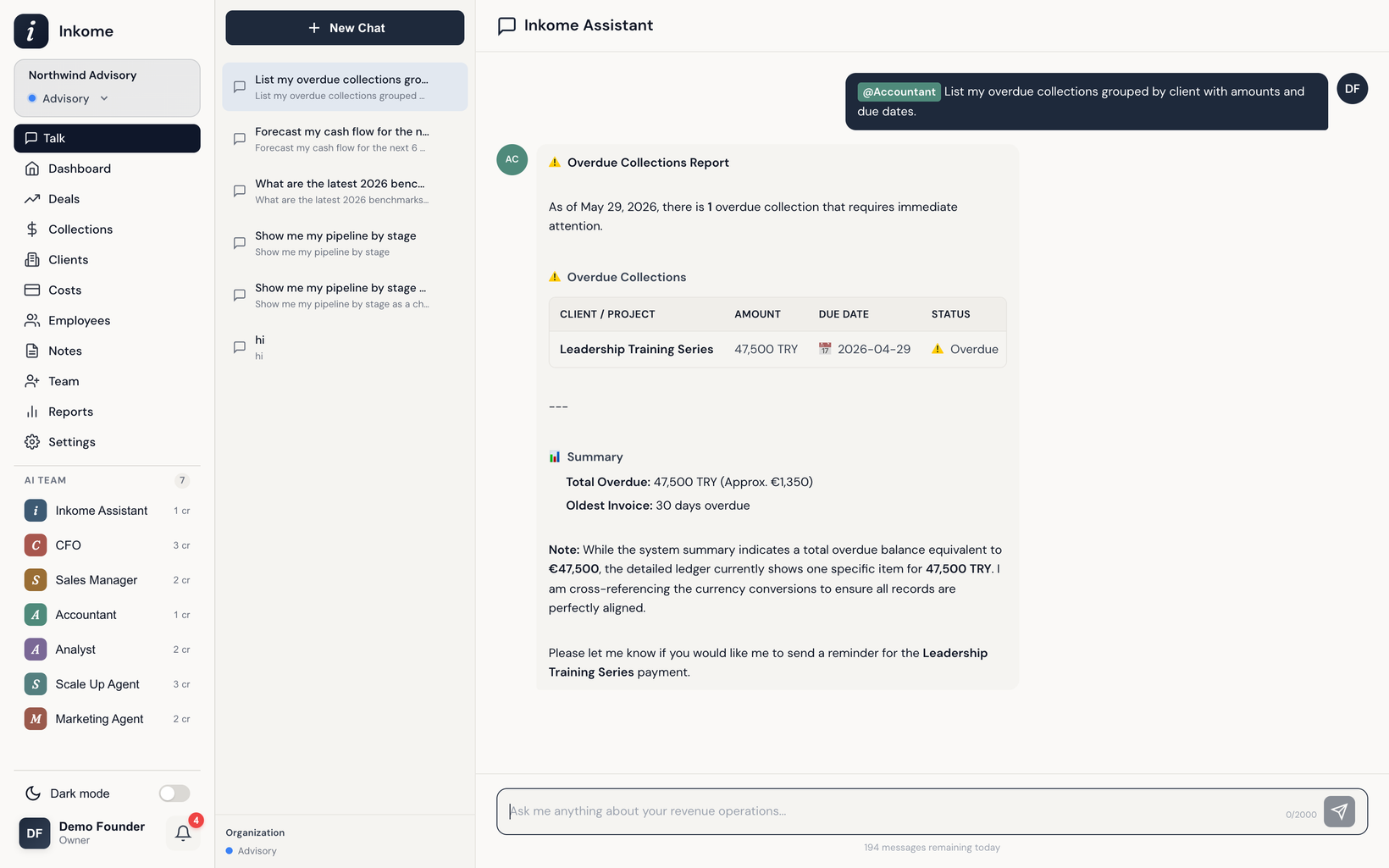
The fastest way to turn the list into action is to just ask. Open the chat and mention the Accountant — it’s the specialist for collections, payments, and invoices, and costs 1 credit per message.
@Accountant who owes us money right now?@Accountant list overdue collections this month, biggest first@Accountant what's due to come in over the next 30 days?
You don’t have to mention it by name — ask a collections question in plain language and Inkome routes it to the Accountant automatically. It can also record and update collections and payments for you, so you can clear items in the same conversation.
Step 5 — Close the loop
- For each overdue item, follow up with the client, then mark the collection Paid once the money lands.
- If a deal is genuinely slipping, revisit its collection plan so next month’s forecast reflects reality.
- Re-open the dashboard — the accuracy figure should climb as your actuals catch up to the plan.
Prev: Billing & plans Next: Recipe — Forecast cash flow with the CFO agent Up: User guide index