Currency
Money rarely comes in one currency. You might invoice a client in euros, pay a supplier in dollars, and want the dashboard in lira. Inkome lets each record keep its own currency and converts on the fly when it shows you totals, so the numbers stay honest no matter how mixed your books are.
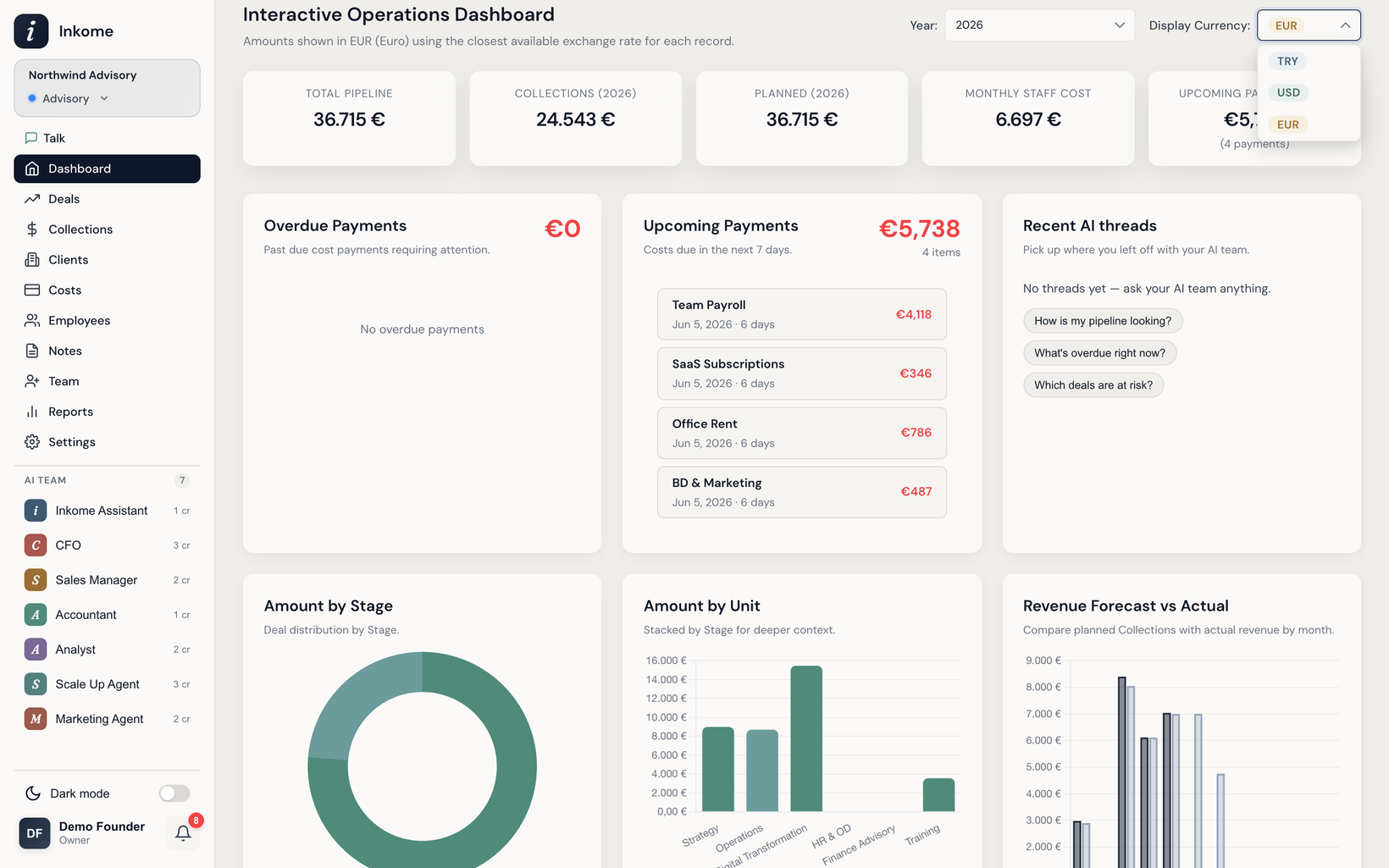
Two different things called “currency”
It helps to separate two ideas:
- Default currency — the currency a space assumes for new records. It’s set per space, so a euro-based consulting space and a dollar-based store can live in the same organization. This is a space-level setting (see Settings overview).
- Display currency — the currency a page shows totals in, right now. You switch it with the Display Currency selector on the dashboard and the filter bar on the Collections, Costs, and other pages. It doesn’t change any stored data; it just re-expresses the totals.
How conversion works
Each individual record — a collection, a cost — is stored in its own currency. When a page totals them in your chosen display currency, Inkome converts each record using the closest available exchange rate for that record. As the dashboard itself notes: amounts are shown in the selected currency using the closest available exchange rate for each record.
That’s why a “Total Pipeline” or “Collections this year” figure can shift when you flip the display currency — it’s the same money, re-stated.
Exchange rates
Inkome keeps a set of exchange rates and refreshes them on a daily schedule, so conversions track real-world rates without you doing anything. Under Appearance in the General settings tab, you can see when the rates were last updated.
Multi-currency in practice
Because each record carries its own currency, you can record what actually happened — a $5,000 invoice and a €900 software bill — and still get a clean combined view in whichever currency you think in. For the full picture of recording money in different currencies, see Multi-currency collections.
Prev: Settings overview Next: Custom labels & terminology Up: User guide index