Stages & categories
Stages are the steps a deal moves through, from first contact to closed. They’re the backbone of your pipeline — but more than that, each stage belongs to a category, and that category is what lets Inkome roll your deals up correctly across reports, dashboards, and collections. This page explains both.
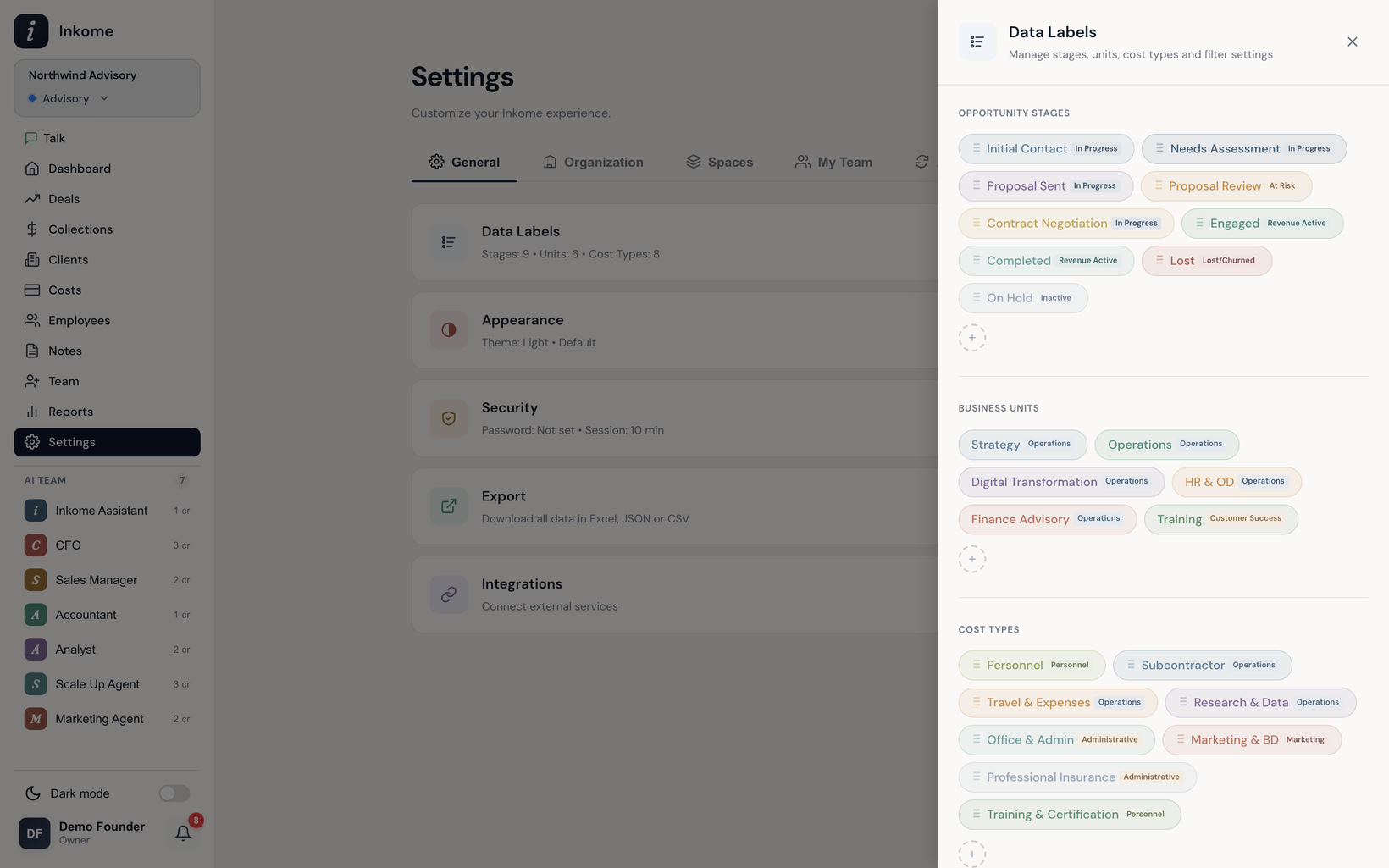
Stages are yours to define
Every space gets its own set of stages, seeded from your business type or industry when the space is created. You can rename them, recolor them, reorder them, add new ones, and delete ones you don’t use. Each stage has:
- A name (e.g. Proposal).
- A color for its badge.
- An order that controls where it sits in the pipeline.
- A category (see below) — the part that does the heavy lifting.
The label for “stage” itself follows your business type: it’s Stage for services and Status for e-commerce, digital, and SaaS.
The five categories
A stage’s name is yours to choose, but its category tells Inkome what that stage means. There are five fixed categories:
| Category | Means | Typical stages |
|---|---|---|
| Active | In progress, not yet decided | Discovery, Proposal, Negotiation |
| Won | Closed successfully | Closed Won, Engaged, Active, Published |
| At Risk | In progress but in danger | Proposal Review, Past Due, Low Stock |
| Lost | Closed unsuccessfully | Closed Lost, Churned, Discontinued |
| Inactive | Parked or dormant | On Hold, Paused, Out of Stock |
Why this matters: because two spaces might call their winning stage Closed Won, Engaged, or Published, Inkome can’t rely on the name. The category is the common language. When a deal moves into a won stage, that’s what triggers won-related behavior; the same goes for lost. Reports and the dashboard group by category, not by name.
Default stages by business type
Each business type ships with a starter set. You’re free to change them, but here’s where you begin:
| Business type | Default stages (category) |
|---|---|
| Services | Discovery (active) · Proposal (active) · Negotiation (active) · Closed Won (won) · Closed Lost (lost) |
| E-commerce | Active (won) · Low Stock (at_risk) · Out of Stock (inactive) · Discontinued (lost) |
| Digital | Development (active) · Published (won) · Featured (won) · Removed (lost) |
| SaaS | Trial (active) · Active (won) · Past Due (at_risk) · Churned (lost) |
Picking a specific industry during onboarding gives you a richer, more tailored set — for example, Consulting starts with nine stages from Initial Contact through Completed.
How stages connect to collections
Stages also gate which deals show up when you record income. In your settings you choose which stage categories count as collectible — typically won — and only deals in those categories appear in the collection picker. So a deal in an active stage won’t clutter your collection form until it’s actually won.
Prev: Creating & editing a deal Next: Units Up: User guide index