Mentions, routing & delegation
You shouldn’t have to know which agent to ask — but when you do know, you should be able to say so. Inkome handles both: it routes your question to the right specialist automatically, and it lets you override that with a direct mention. Behind the scenes, agents also hand off to each other so the best one always answers.
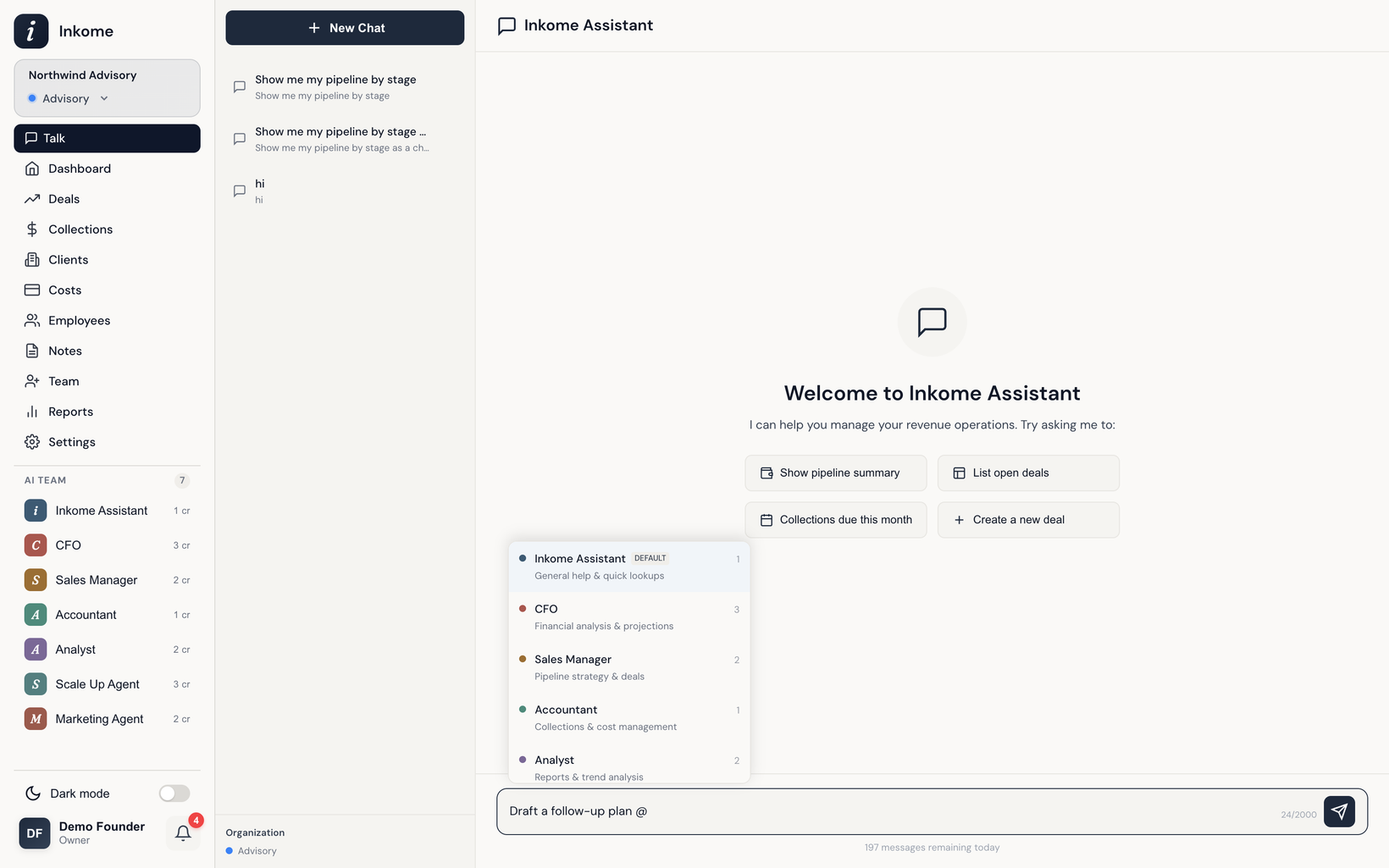
Mentioning an agent directly
Start a message with an @mention to send it straight to a specific agent — for example @CFO what's our runway? or @Analyst compare units this year. As you type @, an autocomplete list appears so you can pick the agent without typing the exact name.
Each agent answers to a few names, in English and Turkish:
| Agent | You can type |
|---|---|
| CFO | @CFO, @Finance, @Financial |
| Sales Director | @Sales Director, @Sales, @SD |
| Accountant | @Accountant, @Accounting |
| Analyst | @Analyst, @Analysis |
| Inkome Assistant | @Inkome, @Assistant |
If you mention an agent that isn’t available — for instance one your plan doesn’t include — Inkome falls back to the default Inkome Assistant rather than failing.
Automatic routing
When you don’t mention anyone, the Inkome Assistant reads your message and decides who should handle it:
- Simple lookups and general questions — “how many deals do I have?”, “show my recent collections”, “how do I…” — the Assistant answers itself.
- Specialist questions get routed by topic. Talk about cash flow, projections, or runway and it reaches for the CFO; reports and trends go to the Analyst; pipeline and deal strategy go to the Sales Director; collections, payments, and invoices go to the Accountant.
Delegation and handoff
Routing isn’t a one-time decision. If the Assistant realizes a question belongs to a specialist, it delegates — hands the conversation to that agent and tells you it’s connecting you (“Connecting you with the CFO for this request…”). You stay in the same conversation; the right expert just steps in.
When a question spans more than one domain — say it touches both pipeline and cash flow — Inkome recognizes it as a multi-domain query and brings in the relevant specialists rather than forcing one agent to answer outside its lane.
Slot filling: multi-turn requests
Some requests need details before they can be carried out — creating a deal, recording a cost, editing a collection plan. Instead of rejecting an incomplete request, the agent asks for what’s missing, one piece at a time. This is slot filling: you say “add a new deal”, the agent asks for the name, the value, the close date, and so on, until it has everything — then confirms before saving. Anything that changes or deletes data asks for a confirmation step first, so nothing happens by accident.
Prev: Meet the agents Next: Credits & limits Up: User guide index