Recording a collection
Recording a collection is how you log money that’s arrived — or money you expect on a date. The form adapts to your business type: services and SaaS see a simple flat form, while e-commerce and digital get a tabbed form that breaks a sale down into gross, commission, and net. This page covers both.
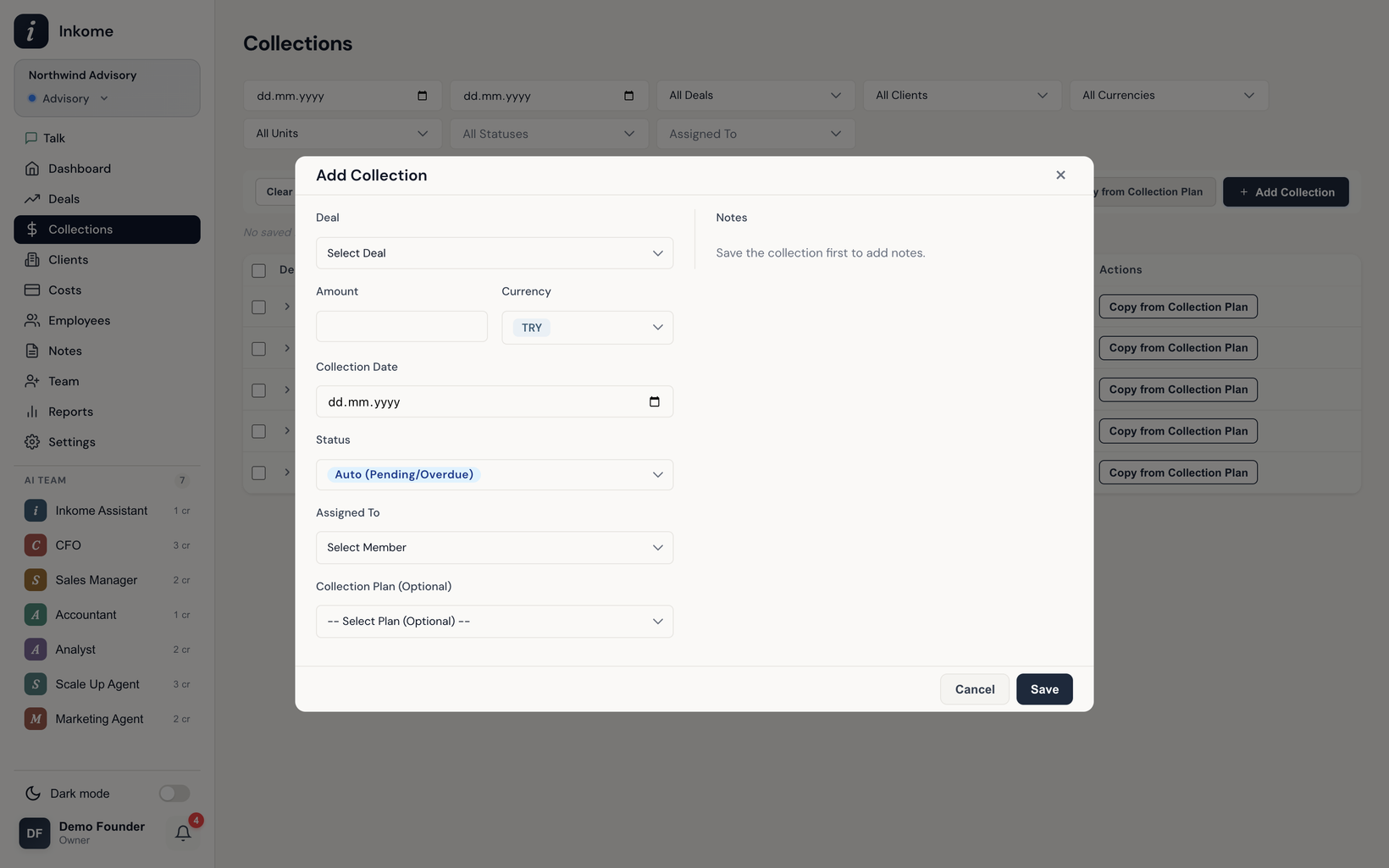
Opening the form
Click Add Collection (it reads Record Sales for products, Record Invoice for SaaS). You pick the deal it’s against from a searchable dropdown — and only deals in a collectible stage category (typically won) appear there. See Stages & categories for how that’s configured.
When you pick a deal, the form pre-fills the deal’s currency for you — though you can change it (see Multi-currency collections).
The simple form (services & SaaS)
| Field | Notes |
|---|---|
| Deal | The deal this payment is for. Required; searchable. |
| Amount | The amount received or expected. |
| Currency | TRY, USD, or EUR. Defaults to the deal’s currency. |
| Status | Paid, or Auto (Pending/Overdue) which Inkome resolves by date. |
| Collection date | When the money arrived or is due. |
| Plan picker | Optionally link this collection to a collection plan row. |
| Assigned To | Optional — a member responsible for it. |
The tabbed form (e-commerce & digital)
Product-based sales rarely come in clean — there’s a platform commission, maybe shipping, maybe refunds. So the form splits across tabs and computes the net for you. The Sale tab collects:
| Field | Label by type | Notes |
|---|---|---|
| Platform / Store | Platform (e-commerce), Store (digital) | Picking a platform can auto-fill its commission rate. |
| Gross | Gross Sales / Gross Revenue | What the customer paid before deductions. |
| Commission | Platform Commission / Store Commission | Enter a rate or an amount — Inkome fills the other. |
| Shipping Costs | E-commerce only | Hidden for digital. |
| Returns/Refunds / Refunds | Both | Deducted from net. |
| Units Sold / Downloads/Sales | Both | Optional count. |
| Sales Period | Both | A start/end range, with This Month / Last Month shortcuts. |
| Revenue Type | Digital only | Optional classification. |
The Net Amount is calculated live as Gross − Commission − Shipping − Refunds (shipping drops out of the formula for digital). The net is what gets saved as the collection amount.
Statuses, reminders, and bulk actions
A collection saved as Auto becomes Pending if its date is in the future or Overdue once the date passes. Inkome surfaces upcoming and overdue collections as reminders so nothing slips. From the list you can edit, copy, delete, and bulk-delete collections — subject to your role.
Prev: Collections overview Next: Collection plans (planned revenue) Up: User guide index