Costs overview
Revenue and cash only tell two-thirds of the story. Costs are the third corner of the triangle — what it actually takes to run the business. Inkome tracks recurring and one-off costs, schedules their payments, and lets you allocate them back to the deals they serve, so you can see profit, not just income.
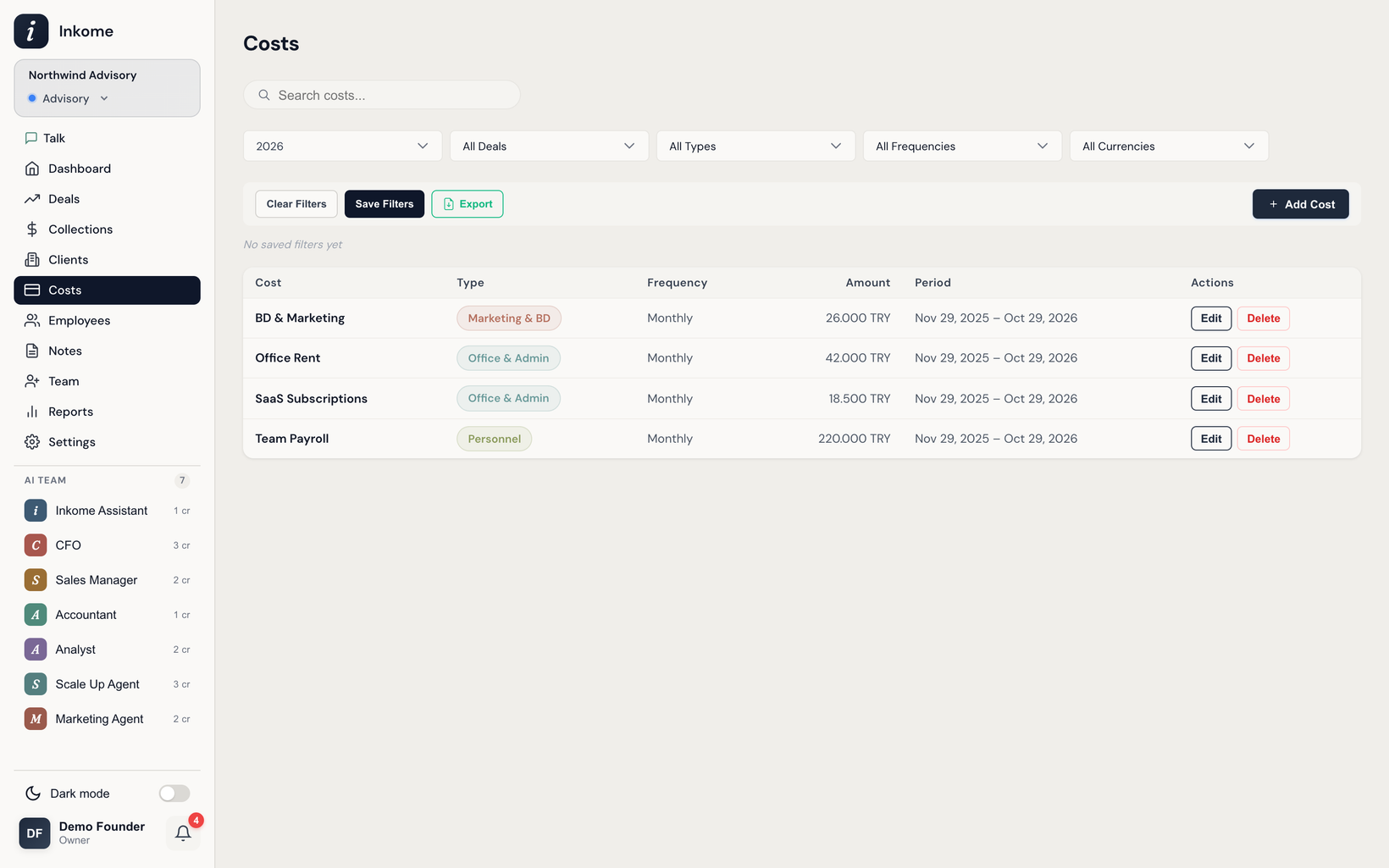
How a cost is built up
A cost in Inkome isn’t a single number — it’s a small structure, which is what lets it handle real-world billing:
- A cost is the thing itself: a name, a cost type, and an optional description (e.g. “Office Rent”, type Administrative).
- One or more periods sit under it. A period carries the amount, currency, frequency, and date range — and is where payment scheduling lives. A cost can have several periods (for example, a rent that changes mid-year).
- Optional allocations tie the cost to specific deals. See Allocating costs to deals.
This shape means one cost can recur monthly, change amount over time, and still be split across the deals it supports.
Frequencies
Each period repeats on a frequency:
| Frequency | Behavior |
|---|---|
| Daily | Every day. |
| Weekly | On a chosen weekday. |
| Monthly | On a chosen day of the month. |
| Quarterly | On a chosen month-of-quarter and day. |
| Annual | On a chosen month and day. |
| One-time | A single payment on the period’s start date. |
From these, Inkome generates a schedule of individual payments you can track and mark paid. See Payment history & bulk payments.
What costs power
- Profitability per deal — once costs are allocated, you see what each deal really cost to deliver. The dashboard’s Total Costs by Deal widget breaks this down.
- Upcoming payment reminders — Inkome surfaces payments due in the coming days so you’re never surprised, and can include payroll if enabled.
- Cost trends — the dashboard charts how your costs move over time.
Costs live per space, so each revenue stream carries its own cost base.
Each cost also has a Notes tab for logging context — why an amount changed, a renewal date to chase — with optional follow-up reminders. See Notes & follow-ups.
Prev: Multi-currency collections Next: Cost types Up: User guide index